🌐
User Manual

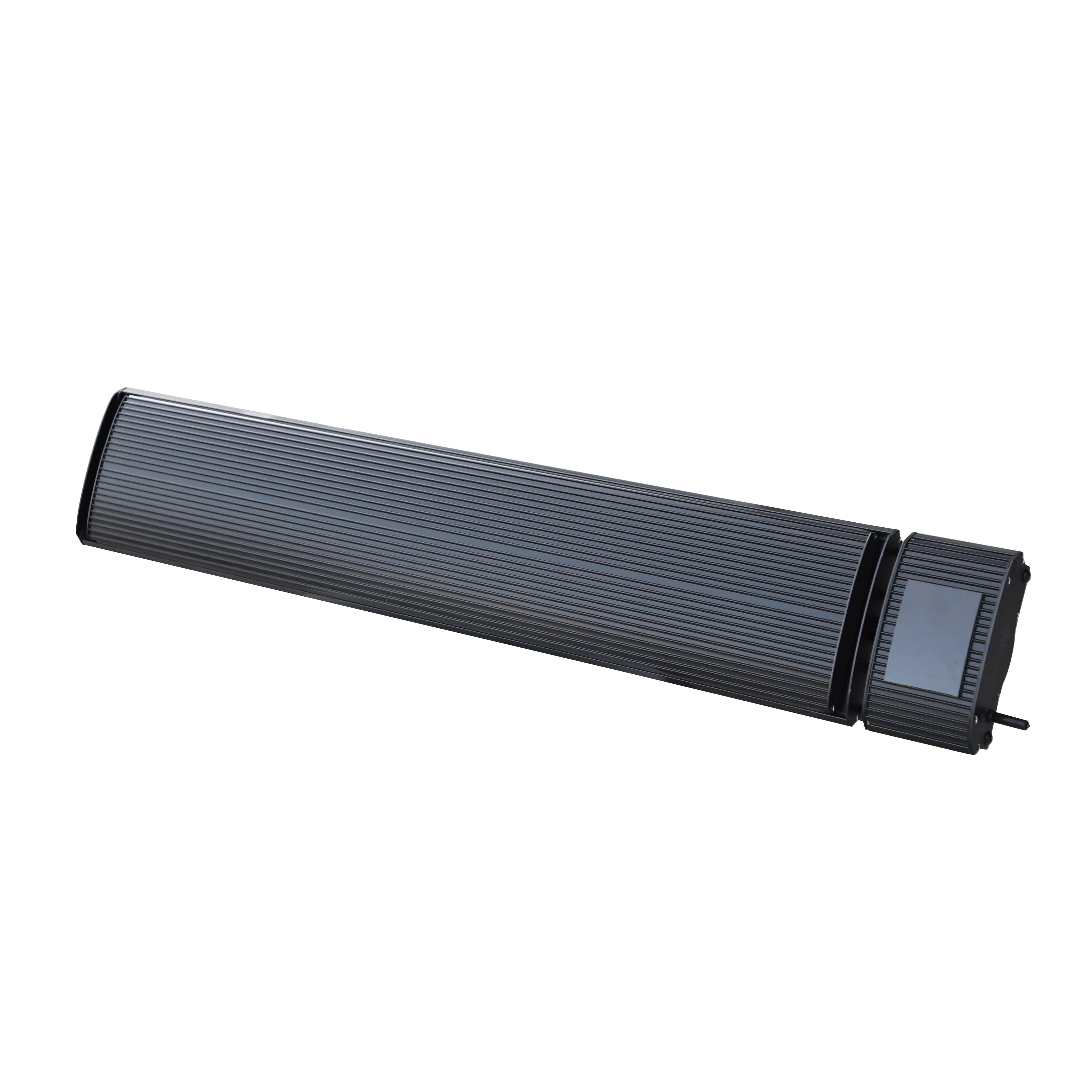
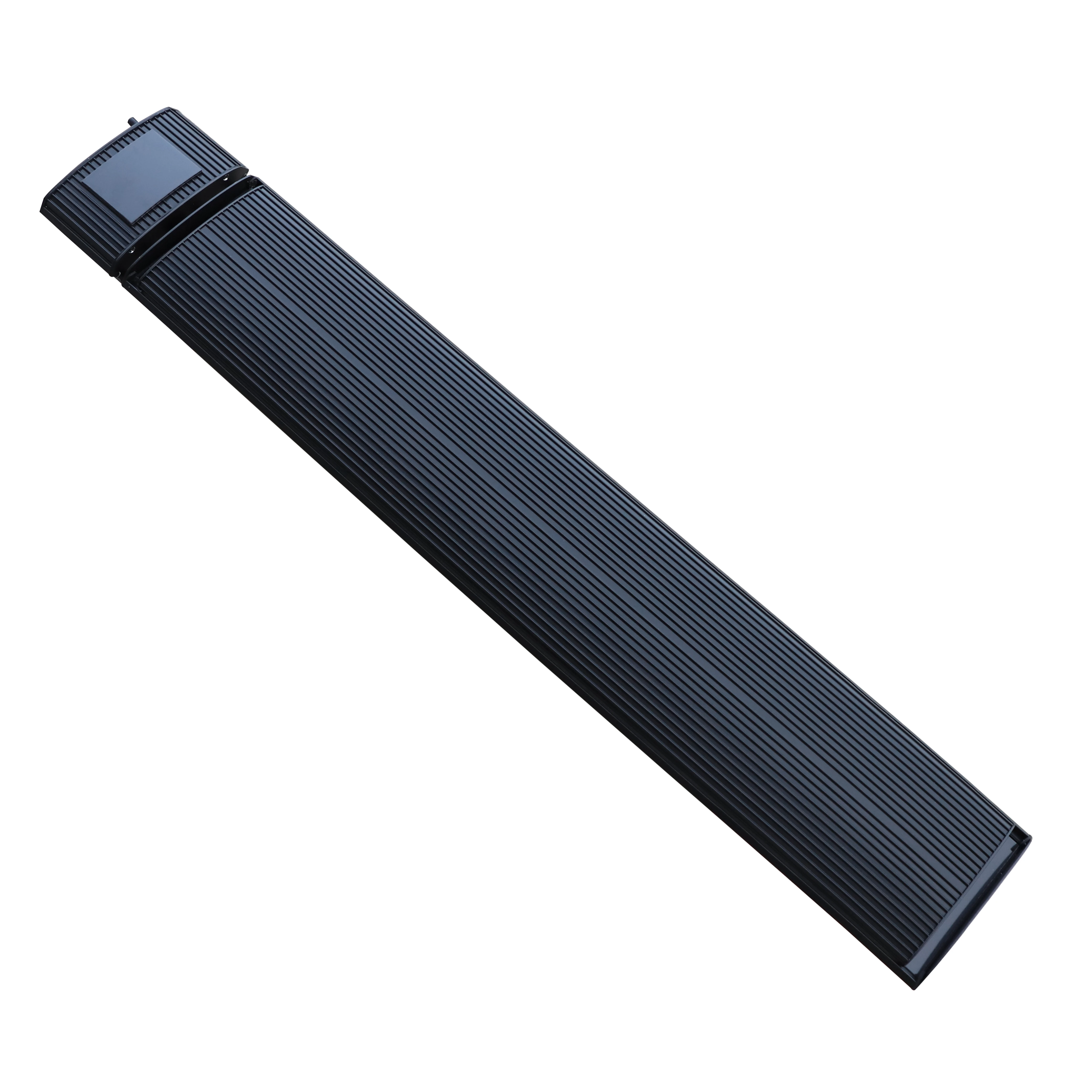
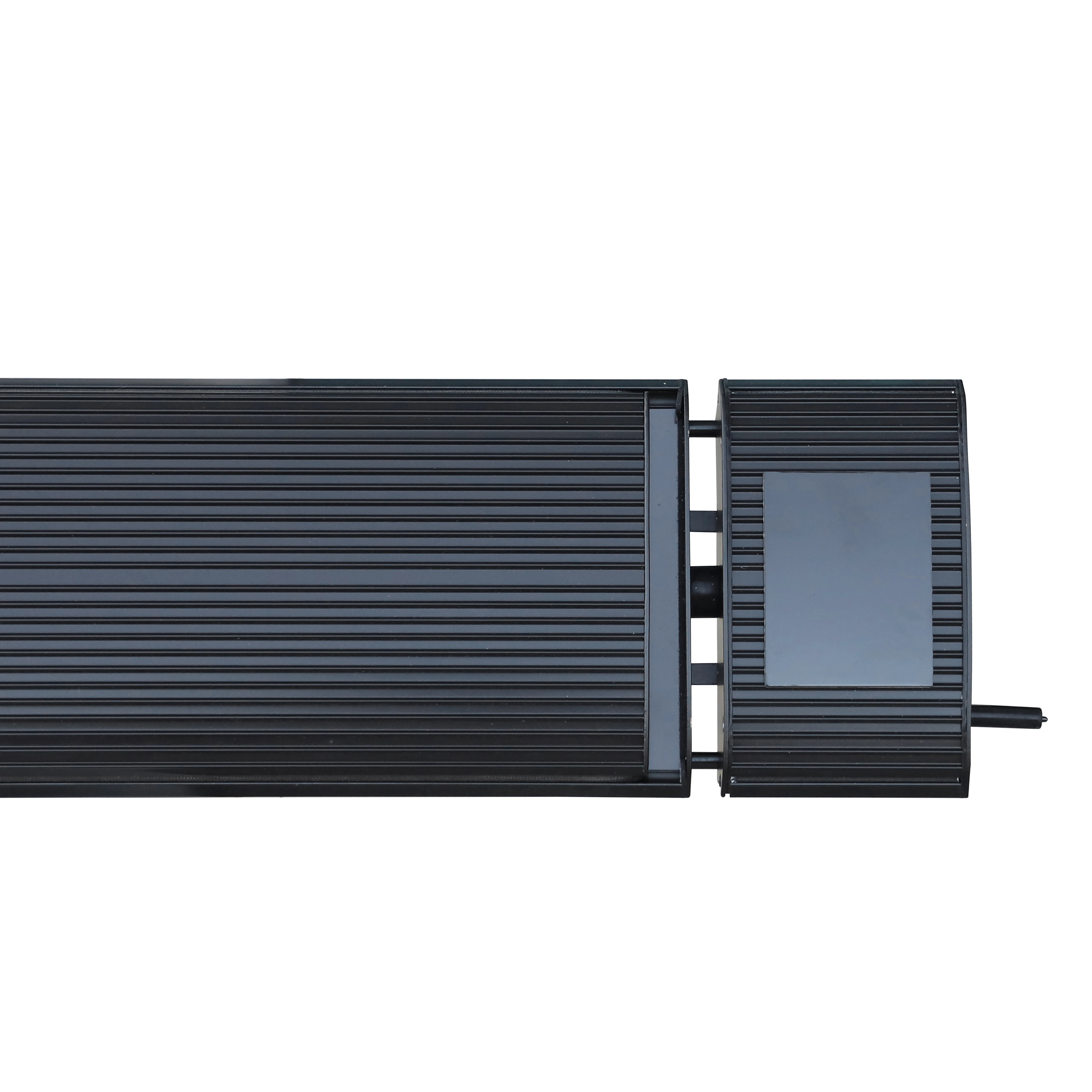
JH 13W Series Infrared Heater

1. Safety Precautions
⚠️ WARNING
  • This appliance is not intended for use by persons (including children) with reduced physical, sensory or mental capabilities, or lack of experience and knowledge, unless supervised by a responsible person.
  • Children should be supervised to ensure they do not play with the appliance.
  • Do not cover the heater — overheating hazard.
  • If the supply cord is damaged, it must be replaced by the manufacturer or qualified service agent.
  • The heater must not be located immediately below a socket outlet.
  • Do not share the same socket with other appliances to avoid current overload.
  • Pull the plug when powering off. Do not pull wires by hand.
  • Stop power immediately if heater fails or wires are damaged. Do not repair yourself — contact authorized service.
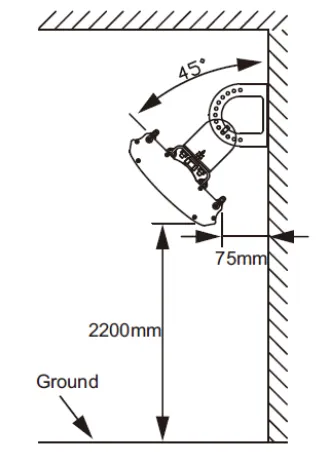
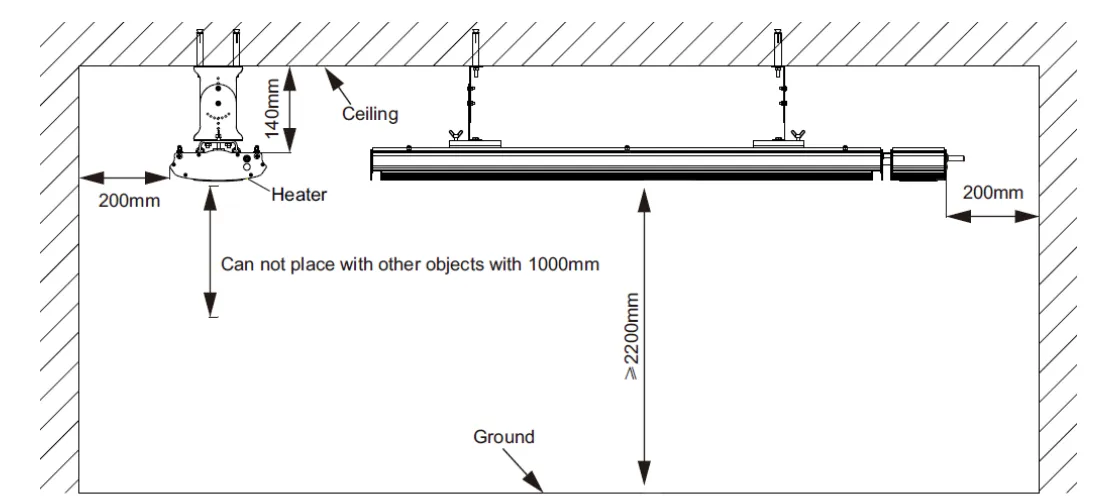
  • The heater must be installed at least 2.2 m above ground level.
  • Keep ≥ 150 mm clearance behind the heater; ≥ 1000 mm in front; ≥ 200 mm on each side.
  • Cut off power and allow surface to cool before cleaning. Do not flush with water.
  • Do not install in areas with flammable, explosive materials or risk of electric shock.
  • Do not insert metal or foreign objects into the heater.
  • Panel surface temperature can exceed 50 °C to 386 °C — do not touch.
  • Do not splash water onto the heater.
2. Infrared Heater Theory

Far-infrared radiant heaters use a specially coated aluminum panel. The heat generated by the heating element is transferred radiantly to people and objects with maximum efficiency — absorbed by walls, floors, and furniture, just like sunshine. Unlike convection heaters, infrared heating does not circulate air, so dust and particles remain settled, keeping the air clean, fresh, and comfortable.

3. Working Conditions
Ambient Temperature
−30 °C ~ +40 °C
Rated Voltage
220–240 V~
Rated Frequency
50 Hz / 60 Hz
Relative Humidity
< 95 %
4. Electrical Specifications
Model No. Power (W) Current (A) Voltage (V) Cable (mm)
JH-NR10-13W10004.3220–2402000
JH-NR18-13W18007.8220–2402000
JH-NR24-13W240010.4220–2402000
JH-NR32-13W320013.9220–240500
5. Installation Requirements
Vertical Installation Ceiling Installation
  • Installation must be carried out by trained personnel.
  • Supply voltage fluctuation should be within ±10%. Correct before installation if not.
  • Refuse installation if there are serious security risks in the electrical environment.
  • Electricity lines must be equipped with earth leakage protection devices and a master switch.
  • Ground wire must connect to the building grounding device — not to gas pipe, water pipe, lightning rod, or telephone ground wire.
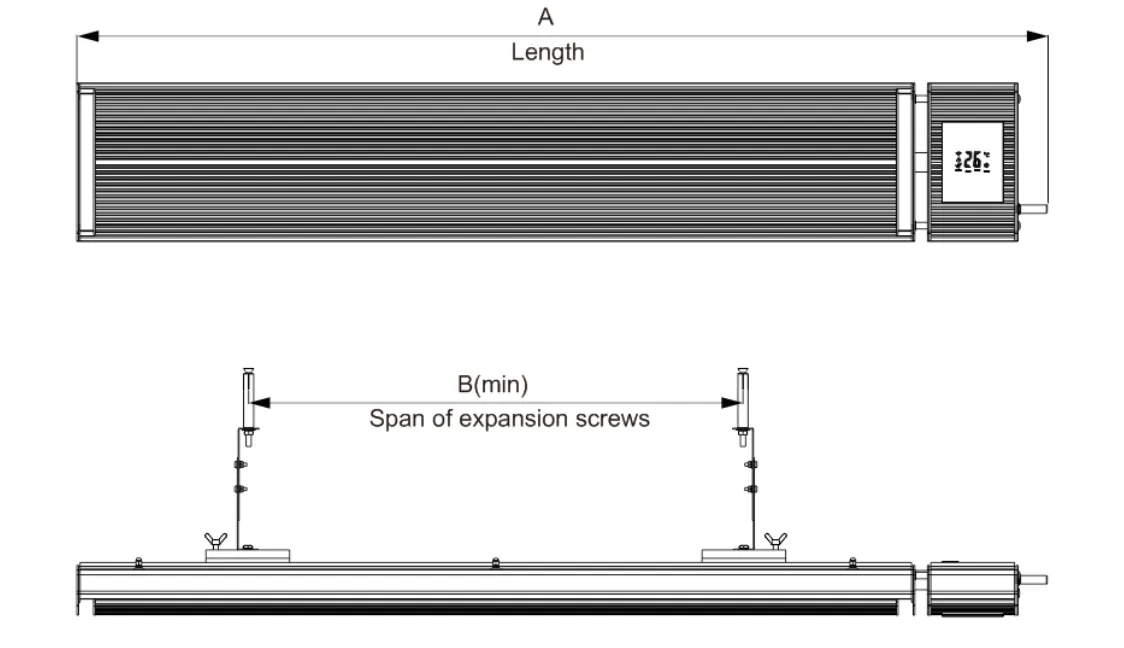
  • A-B Side

    Installation Dimensions
    Model No. Dimension A Dimension B
    JH-NR10-13W755 mm200 mm
    JH-NR18-13W1155 mm700 mm
    JH-NR24-13W1655 mm1200 mm
    JH-NR32-13W2155 mm1700 mm
    6. Installation Steps
    1

    Unpack

    Remove packing from both ends of the heater.
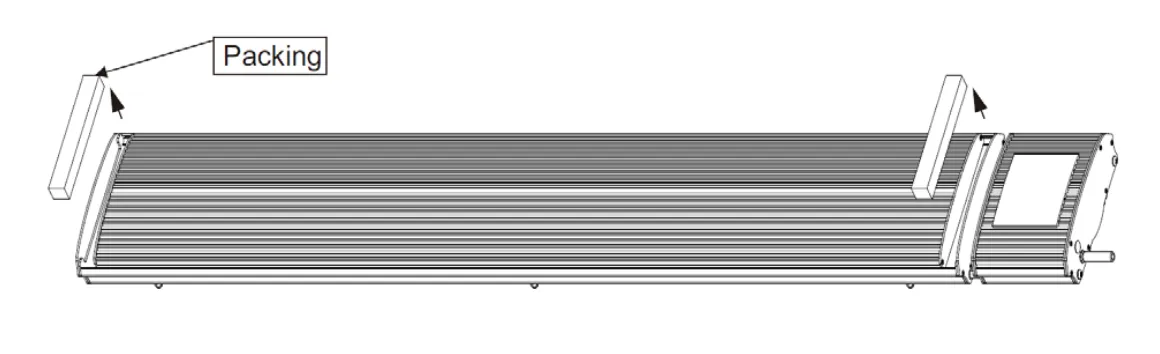
    Step 1
    2

    Connect Brackets

    Connect adjusting bracket to sliding bracket.
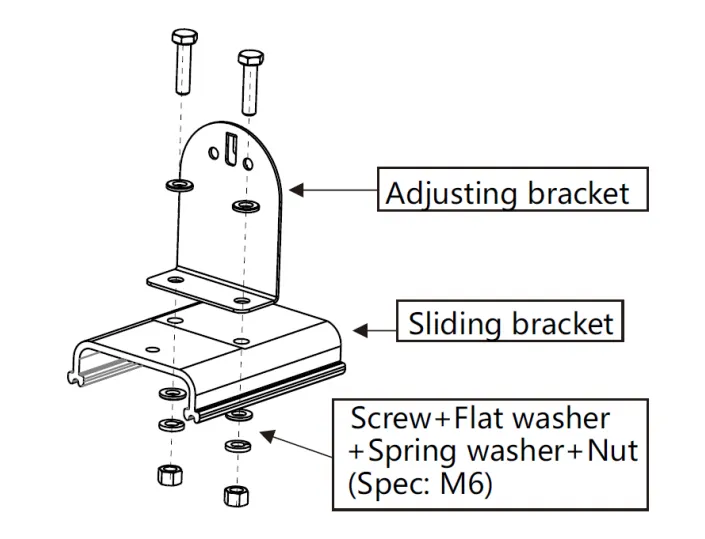
    Step 2
    3

    Mount Sliding Bracket & Heater

    Install the sliding bracket and heater as indicated by the arrows.
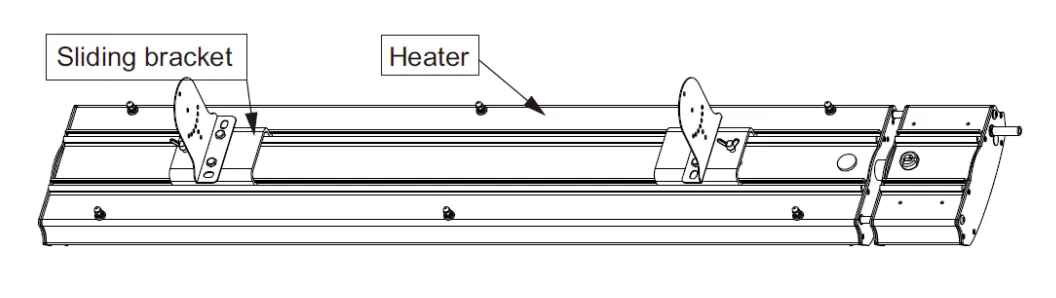
    Step 3
    4

    Fix to Wall

    Fix the adjusting bracket to the wall using expansion screws.
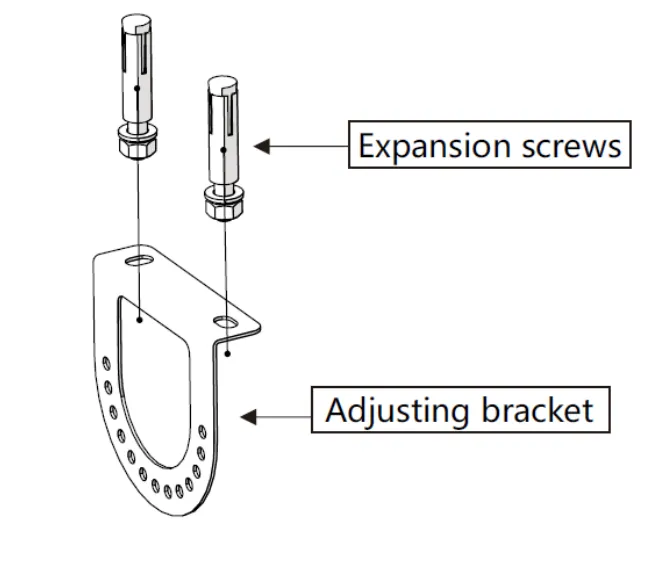
    Step 4
    5

    Secure Both Brackets

    Install both adjusting brackets and tighten the butterfly hand screws firmly.
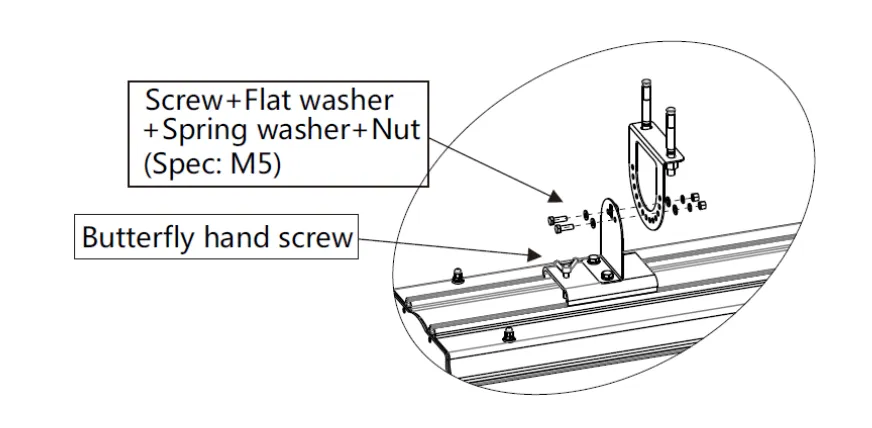
    Step 5
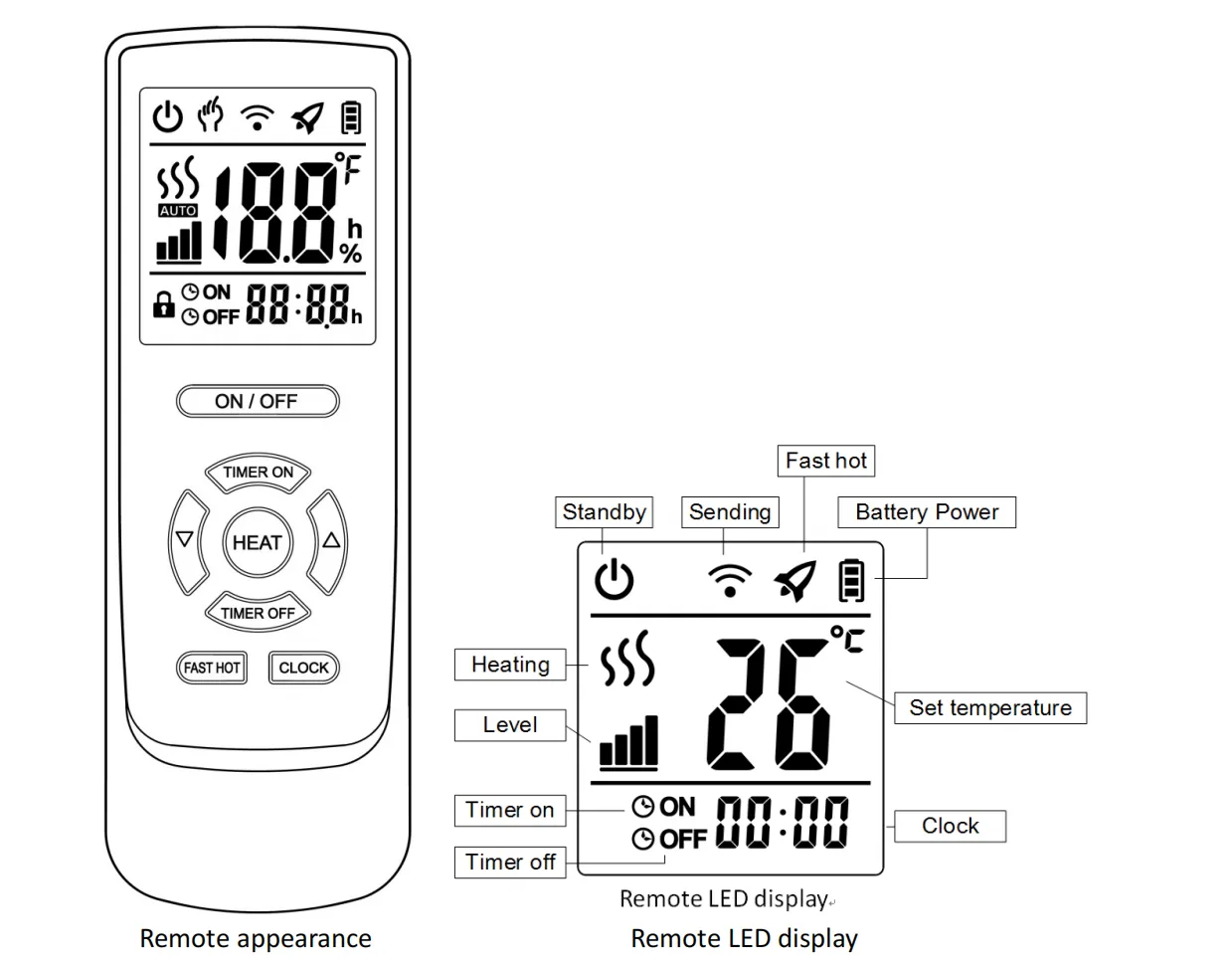
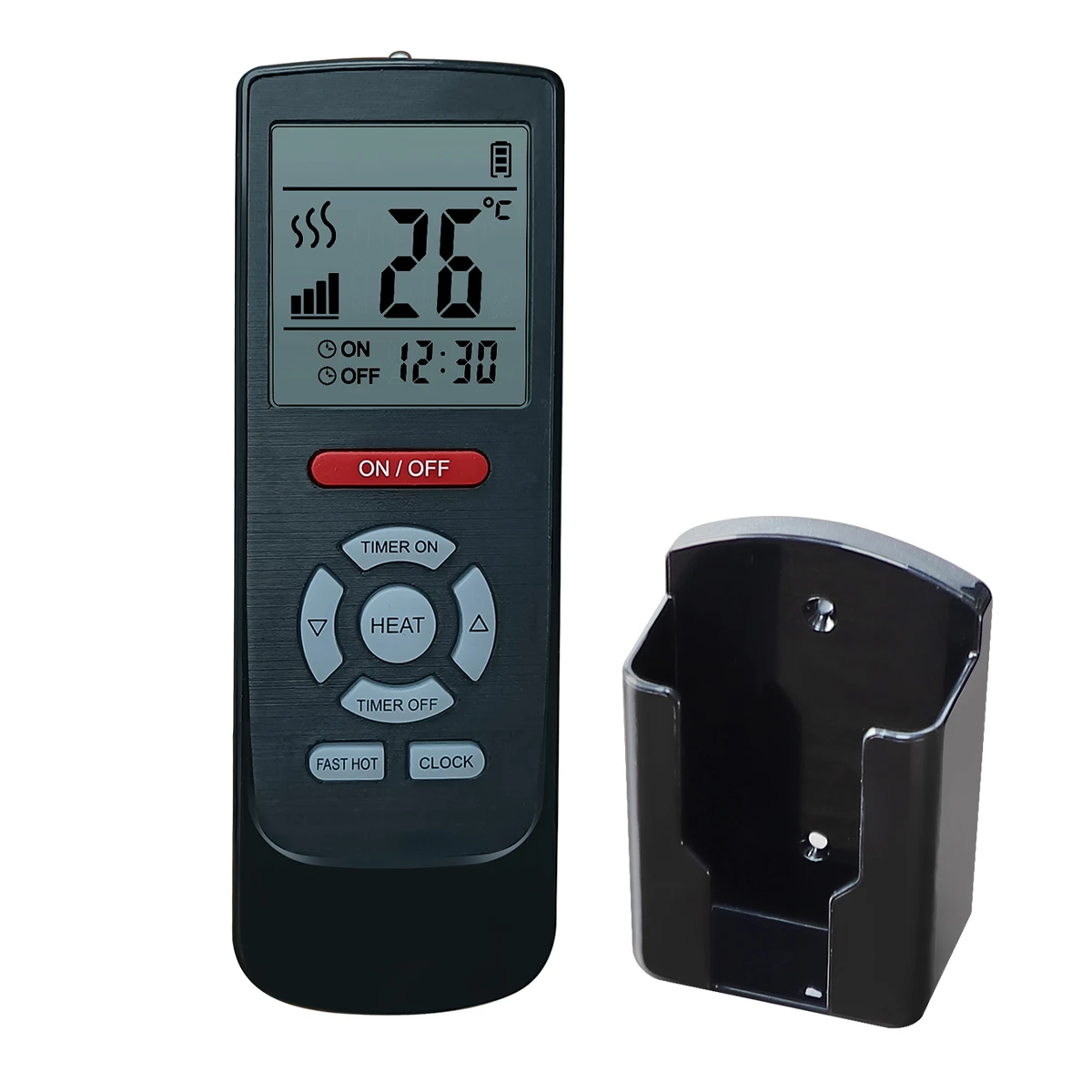
    7. Remote Controller
    Remote Control

    ON/OFF

    Press the ON/OFF button to turn the heater on or off.

    Clock Setting

    Press Clock → use ▲/▼ to adjust hours → press Clock → adjust minutes → press Clock → adjust seconds → press Clock to confirm.

    Heat Level

    Press the Level button while the heater is on to adjust the power level.

    Fast Heat

    Press Fast Hot button to run the heater at full power for rapid heating.

    Timer ON

    Press Timer ON → set hours with ▲/▼ → press Timer ON → set minutes → press Timer ON to confirm.

    Timer OFF

    Press Timer OFF → set hours with ▲/▼ → press Timer OFF → set minutes → press Timer OFF to confirm.

    8. Connect to Wi-Fi (Tuya Smart App)
    1. Download Tuya Smart App from Google Play Store, App Store, AppGallery, or visit smartapp.tuya.com/tuyasmart.
    2. Register an account via mobile number or email, or log in with an existing account.
    3. In the app, click Start your smart life → Add family → Set family name and location → Add rooms.
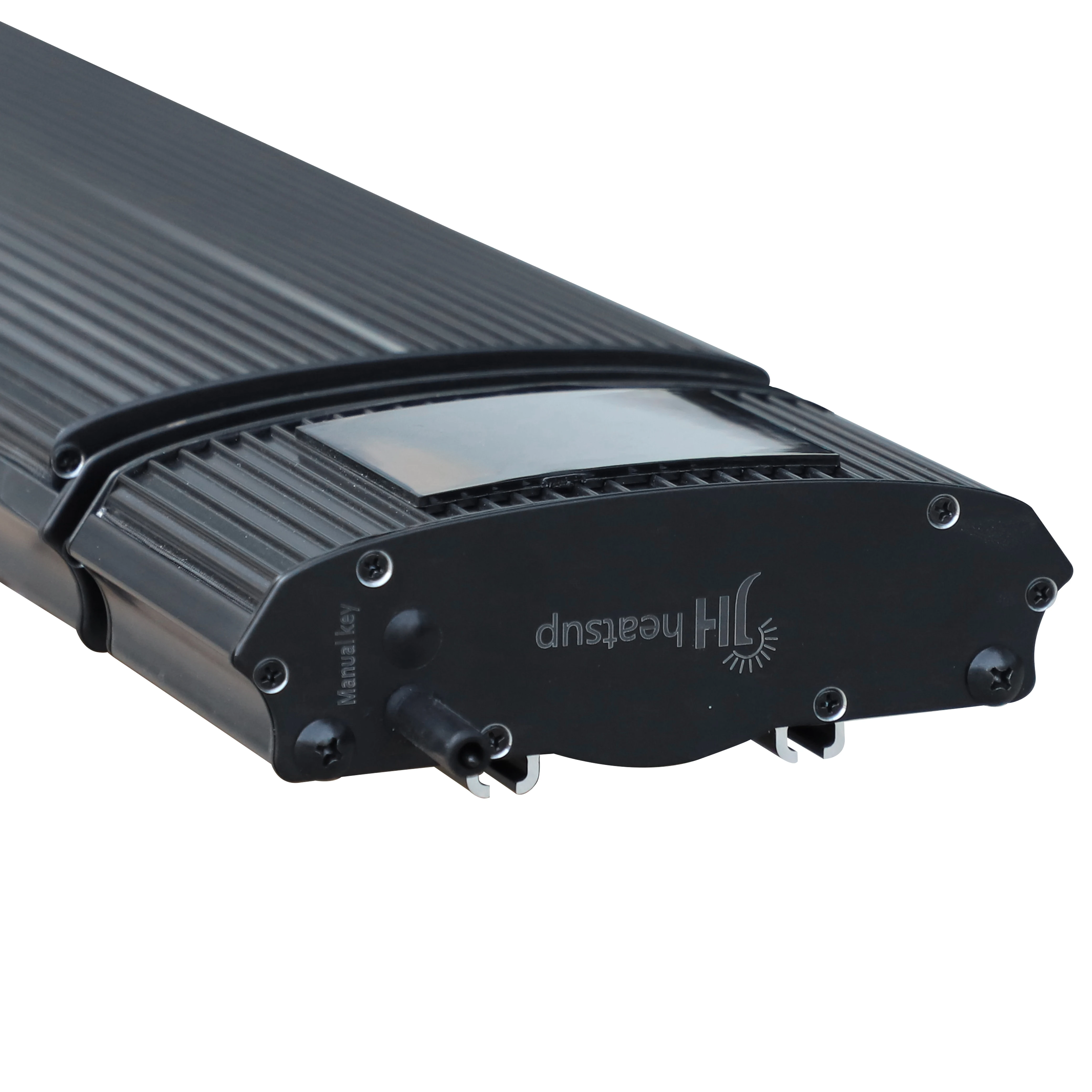
    4. Power on the heater, then long-press the Manual Key for ≥ 8 seconds until the heater beeps and the Wi-Fi icon flashes twice per second.
    5. In the app, tap +Small Home ApplianceHeater → Confirm rapid blink → Select Wi-Fi network → Enter password → Done.
    6. Once connected, use the app to control switch, mode (Auto/Manual), heat level, fast-hot, and timers (up to 30 schedules).
    Heat Levels: Level 1 = 25% · Level 2 = 50% · Level 3 = 75% · Level 4 = 100%
    9. Commissioning Checklist
  • Do not connect power until installation is complete.
  • Verify all wire connections are correct and firm.
  • Remove all scattered objects from around the heater body.
  • Connect power and confirm the heater operates correctly.
  • Installation is stable — equipment does not shake or shift.
  • Heat insulation is adequate — no objects too close to equipment.
  • Power voltage matches the nameplate voltage.
  • Electrical ground is connected safely.
  • 10. Packing List
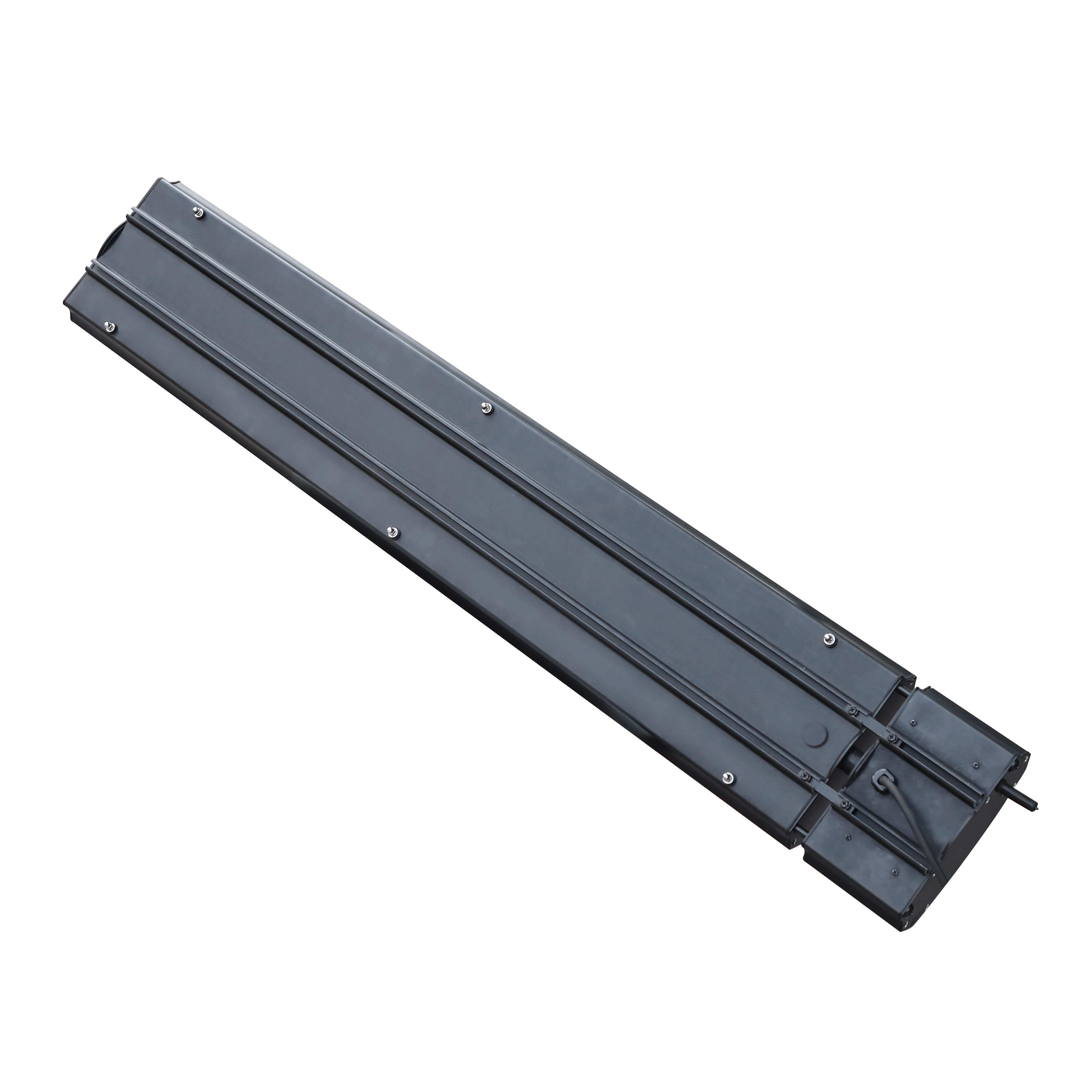
    • 📦 Heater× 1
    • 📡 Remote Controller× 1
    • 🔧 Adjusting Bracket1 set
    • 🔩 Fastener1 set
    • 🔧 Sliding Bracket1 set
    11. Attention

    Due to thermal expansion and contraction, the heater may produce noise when turning on or off. This is a normal phenomenon and does not affect performance or safety.